
KLIPKAST Broadcaster MAX
Chroma Key & One-Click Background Removal
Create professional keyed live video directly inside KLIPKAST Broadcaster MAX Live Studio without moving the workflow to a separate production application.
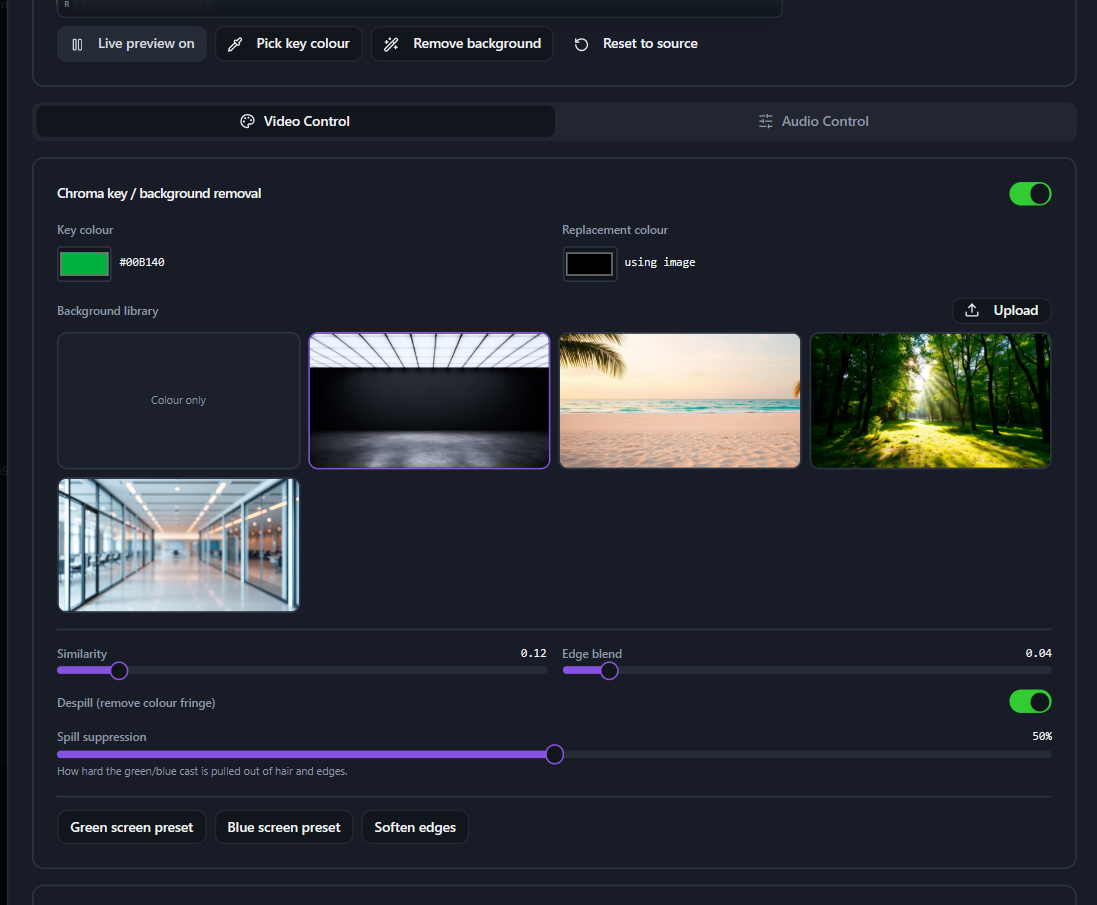
Professional chroma key for live broadcast video
Key green, blue, or another selected background color and refine the result with similarity, edge blend, despill and spill-suppression controls. Replace the keyed area with a color or image while monitoring the live source in the same workflow.
Built into a streaming-server workflow
KLIPKAST combines source ingest, live image processing, transcoding, recording, DVR, Time Shift Playback, overlays and multi-protocol streaming in one self-hosted platform.
Useful for studios, news, education and events
Use chroma key and background replacement for virtual sets, presenter backgrounds, remote production, training, worship, event coverage and broadcast graphics workflows.