
Time Shift Playback
Give operators and supported playback workflows access to recorded live history so content can be reviewed from an earlier point while the live stream continues.
Explore Time Shift PlaybackUse the arrows or select any preview to explore Broadcaster MAX.
Professional playout with playlist control, real-time monitoring, seamless transitions, overlays, and broadcast-ready playback.
Choose the perfect plan for your streaming needs. All plans include powerful core features with options that scale with your operation.
* Unlimited Inputs: The practical number of simultaneous inputs depends on the customer-provided server's available CPU processing power, memory, network bandwidth, input formats, transcoding workload, and other active services. More capable server hardware can support heavier workloads and a greater number of simultaneous inputs.
Start with a free 7-day trial — your license key and KLIPKAST download link will be emailed instantly. Please check your Spam or Junk folder if you don't see the email in your inbox. Questions? support@tvboxhd.com
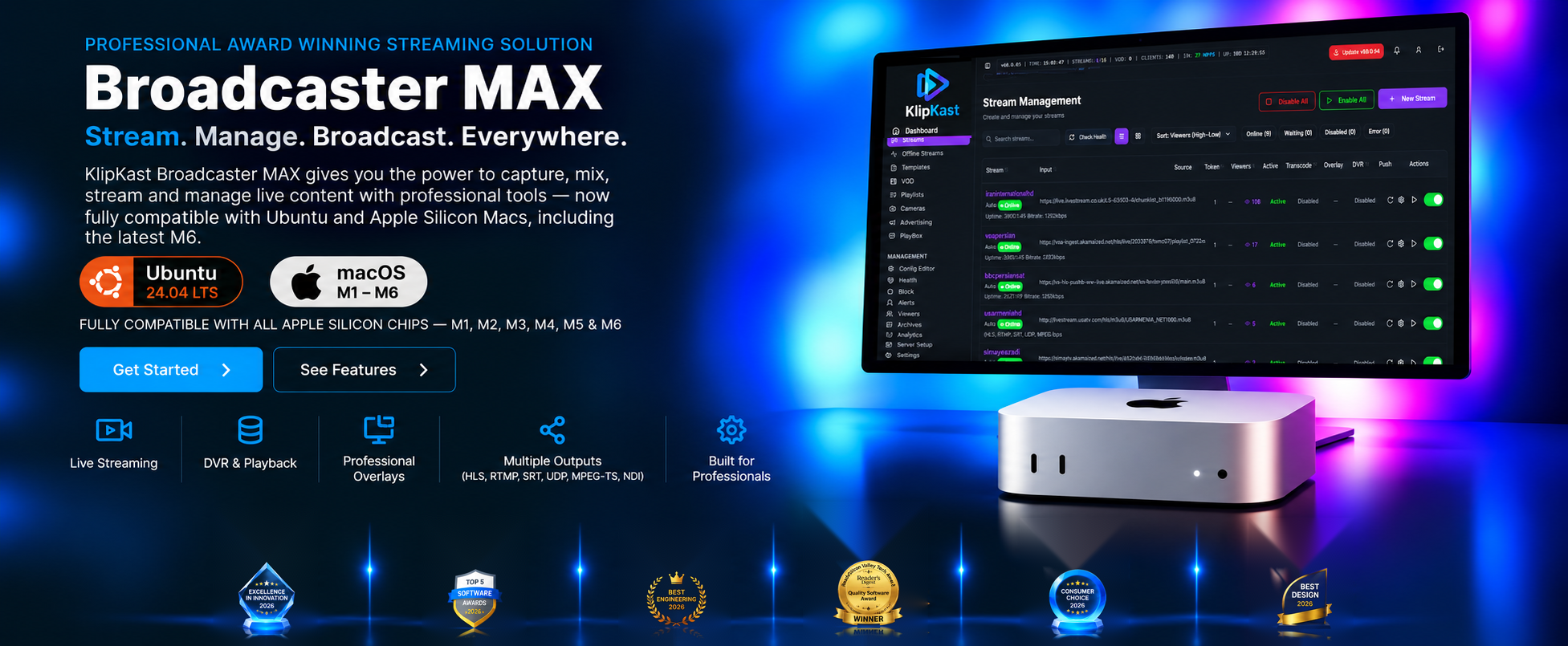
Ubuntu 24.04 LTS and Apple macOS on Apple Silicon M-series computers. KLIPKAST Broadcaster MAX supports M1, M2, M3, M4, M5 and M6 systems and is optimized for the latest M6 Mac mini.
Pause the live experience, move back through available DVR history, and resume playback without treating every stream as a one-time live event. KLIPKAST combines Time Shift Playback with integrated DVR, archives, scheduled recording and instant DVR output for professional broadcast workflows.
Give operators and supported playback workflows access to recorded live history so content can be reviewed from an earlier point while the live stream continues.
Explore Time Shift PlaybackDuring KLIPKAST installation, the installer automatically partitions available disk space to create dedicated DVR storage, helping prepare the server for recording, archives and Time Shift Playback.
Explore DVR & ArchivesKLIPKAST Broadcaster MAX is a one-click, self-hosted streaming platform that gives organizations professional broadcast control without forcing every workflow into a collection of separately metered services and add-ons.
Centralize live inputs, contribution feeds, transcoding, DVR, PlayBox, overlays, advertising banners, monitoring and multi-protocol outputs for station operations, network distribution and professional broadcast workflows.
Stream graduations, athletics, lectures, campus events, board meetings, student programming and distance-learning productions from infrastructure your organization controls.
Manage live services, recurring scheduled recordings, archives, overlays, RSS information, PlayBox content and multiple incoming sources from one broadcast platform.
Support conferences, concerts, live shows, corporate events and multi-camera productions with professional stream management, DVR, transcoding and flexible output workflows.
Many hosted streaming services use plan tiers or usage-based pricing for items such as bandwidth, transcoding, storage, concurrent connections, input limits, or premium features. KLIPKAST takes a different approach: run Broadcaster MAX on your own supported server and use the processing power, memory and bandwidth you choose.
This makes KLIPKAST especially attractive to organizations that want predictable software costs, greater infrastructure control, and a broad set of professional features in one platform—including Unlimited Inputs*, On-Demand & Scheduled Recording, DVR, PlayBox, advanced overlays, multiple RSS feeds, IP blocking, analytics, stream-health monitoring and more.
* Practical input capacity is determined by the customer-provided server's CPU, memory, storage, network bandwidth, source formats, transcoding workload and other active services.
Get More From Your Streaming Server
Try KLIPKAST Broadcaster MAX: a one-click, self-hosted streaming and recording platform built for professional broadcast workflows.
Keep the production tools you already know. Send your live stream from OBS Studio or vMix to KLIPKAST for server-side management, recording, DVR, transcoding, PlayBox, overlays and distribution.
Start recording when you need it, schedule recordings ahead of time, and use Time Shift Playback to move through available DVR history while live programming continues. Recording and playback control are integrated directly into the KLIPKAST workflow.
Build richer broadcasts with multiple graphic layers, multiple RSS feed displays and scheduled layer intervals — all managed from Broadcaster MAX.
Professional Self-Hosted Streaming Server Comparison
A practical side-by-side overview for broadcasters comparing self-hosted streaming server platforms. Capabilities and commercial terms can change, so verify current vendor specifications before purchase or deployment.
| Feature / Criteria | KlipKast Broadcaster MAXAll-in-one broadcast workflow | Wowza Streaming Engine | Flussonic Media Server |
|---|---|---|---|
| Primary Strength | 24/7 PlayBox scheduling, linear-TV playout, live ingest, DVR, overlays and broadcast workflow management | Established, customizable live/VOD streaming engine with broad protocol support, APIs, transcoding and scalable deployment options | High-performance IPTV/OTT and broadcast delivery with DVR/archive, server playlists, APIs and multi-protocol ingest/delivery |
| Deployment Model | Self-hosted on supported Linux servers, VPS hosting, remote servers and cloud virtual machines such as Amazon EC2 | Self-hosted/on-premises or cloud deployment, including major cloud marketplaces and virtual-machine environments | Self-hosted Linux deployment; can also run in Docker and on cloud-hosted Linux servers |
| VPS / Cloud Flexibility | Designed to run on compatible VPS, remote datacenter servers and customer-controlled cloud instances while keeping infrastructure under your control | Supports cloud deployments and preconfigured marketplace images across major providers | Can be installed on Linux cloud instances; DVR can also use supported remote/cloud storage |
| Live Protocol Workflows | HLS, RTMP, RTSP, SRT, UDP and MPEG-TS workflows with pull/push management and fallback handling | Broad live-streaming protocol and format support, including HLS, RTMP and RTSP/RTP, plus configurable transcoding workflows | Multi-protocol ingest and playback for IPTV/OTT workflows, including HLS and other broadcast-oriented delivery methods |
| Playout & Automation | Integrated PlayBox, playlists, scheduled recording, overlays, multiple RSS feeds and broadcast automation in one interface | Powerful streaming-engine core and APIs; advanced playout/scheduling workflows are typically assembled around the engine | Includes server-side playlists and broadcast tooling, with broader TV/operator products available in the Flussonic ecosystem |
| DVR & Archives | Integrated DVR, Time Shift Playback, archives, on-demand/scheduled recording, instant DVR output, archive management and automatic DVR storage partitioning during installation | Supports live/VOD workflows and DVR-related capabilities through Streaming Engine features and APIs | Strong DVR/archive subsystem with catch-up, timeshift, archive export and local/cloud storage options |
| Transcoding & Monitoring | CPU/GPU transcoding plus CPU core/thread, GPU, memory, disk, network and hardware-encoder monitoring from the admin dashboard | Real-time transcoding/transrating with configurable templates and API-driven server management | Server-side transcoding, monitoring and API control for media-server operations |
| Pricing Accessibility | Monthly, annual and lifetime licensing designed for independent broadcasters, stations and mid-market networks | Commercial monthly, short-term and enterprise licensing; current pricing varies by instance, plan and deployment | Commercial licensing for media-server and specialized broadcast/operator products; pricing depends on deployment and product |
| Best Fit | Broadcasters wanting one self-hosted control plane for ingest, playout, DVR, transcoding, overlays, monitoring and distribution | Organizations needing a mature, programmable streaming-engine foundation for custom live/VOD architectures | IPTV/OTT operators and broadcast environments emphasizing delivery, DVR/archive and carrier-oriented workflows |
KLIPKAST FAQ
vMix and OBS are excellent production tools, while KLIPKAST complements them by adding powerful stream distribution and management capabilities.
vMix and OBS primarily push streams to preconfigured streaming endpoints and have practical limits on simultaneous outputs. As of vMix 28 and later, vMix supports up to 5 simultaneous live streaming destinations; vMix 27 and earlier supported up to 3. KLIPKAST supports an unlimited number of PULL and PUSH inputs/outputs*, allowing you to receive, redistribute, and manage streams far beyond a traditional production workflow.
KLIPKAST can deliver streams in multiple popular formats and protocols, including HLS, RTMP, RTSP, MPEG-TS, NDI, and more. Output URLs can be shared immediately, and you can configure an output to be permanent or automatically expire at a specified date and time.
This makes KLIPKAST an ideal companion to vMix and OBS—use vMix or OBS for production, then use KLIPKAST for advanced stream ingest, distribution, routing, management, and delivery.
*Actual capacity depends on available CPU, memory, network bandwidth, and server resources.
Your lifetime license never expires.
Yes. KLIPKAST Broadcaster MAX supports Apple Mac computers powered by Apple Silicon M-series chips, including M1, M2, M3, M4, M5 and M6. The Mac version is optimized for Apple Silicon, including the latest M6 Mac mini.
Yes. KLIPKAST Broadcaster MAX can be used as the server-side streaming platform behind an OBS Studio production workflow, so you can manage, record, process and distribute the incoming live stream.
vMix is excellent live-production and encoding software, but it is not designed to replace a dedicated, always-on streaming server. vMix can receive supported network inputs and can send streams using formats such as RTMP and SRT. KLIPKAST Broadcaster MAX adds the server-side layer: it can ingest and manage streams from vMix and other sources, maintain pull and push workflows, provide fallback URLs, DVR and archives, monitoring, transcoding, PlayBox, overlays, multi-protocol outputs such as HLS, RTMP, RTSP, SRT, UDP and MPEG-TS, and distribute streams independently of the production workstation. In short, vMix produces the live program; KLIPKAST is the streaming-server platform that can receive, manage, process and redistribute it at the server level.
Yes. KLIPKAST Broadcaster MAX supports NDI as a professional network input source. It can discover and ingest compatible NDI video and audio sources available to the server, including NDI output from vMix, OBS-based NDI workflows, NDI-capable cameras and other NDI-enabled devices. This lets broadcasters bring network video into KLIPKAST for server-side management, recording, transcoding and multi-protocol distribution.
Yes. KLIPKAST supports compatible UVC (USB Video Class) capture devices for local HDMI and SDI ingest. Supported workflows can include compatible UGREEN USB HDMI capture devices, Blackmagic Design ATEM Mini webcam output, AJA U-TAP HDMI, AJA U-TAP SDI and other UVC-compliant capture hardware recognized by the server.
Yes. Operators can start recordings on demand directly from the KLIPKAST workflow when a live program or event needs to be captured immediately.
Yes. Scheduled recording is a core KLIPKAST capability for capturing planned programs, events and recurring broadcasts without waiting for an operator to manually start each recording.
Yes. Broadcaster MAX supports multiple RSS feed displays, advanced broadcast layers and scheduled layer intervals for more flexible on-screen presentation.
Time Shift Playback lets supported KLIPKAST DVR workflows play from an earlier point in the available live-stream history while the live stream continues. It is designed for catch-up viewing, review and broadcast operations that need more control than live-only playback.
Yes. During installation, KLIPKAST automatically partitions available disk space to create dedicated DVR storage, helping prepare the server for archives, scheduled recording, instant DVR output and Time Shift Playback.
Professional Streaming Infrastructure
KLIPKAST Broadcaster MAX combines NDI network input discovery and ingest, USB UVC capture, H.264 and H.265/HEVC workflows up to 4K resolution, live stream management, HLS, RTMP, RTSP, SRT, UDP, MPEG-TS and NDI delivery, Time Shift Playback, DVR, PlayBox playout, CPU/GPU transcoding, CPU and GPU core/thread monitoring, overlays, RSS automation, social publishing, mobile management, analytics and server monitoring in one self-hosted streaming server platform for TV stations, broadcast networks and professional organizations. During installation, KLIPKAST automatically partitions available disk space to prepare dedicated DVR storage. Supported deployment platforms include Ubuntu 24.04 LTS, Debian 13 (Trixie), and Apple Mac computers with Apple Silicon M-series chips from M1 through M6, including optimization for the latest M6 Mac mini, plus compatible VPS hosting, remote servers and cloud virtual servers such as Amazon EC2.
These controls supplement browser and assistive-technology settings.